Vehicle Hardware
Renault Twizy — Identification
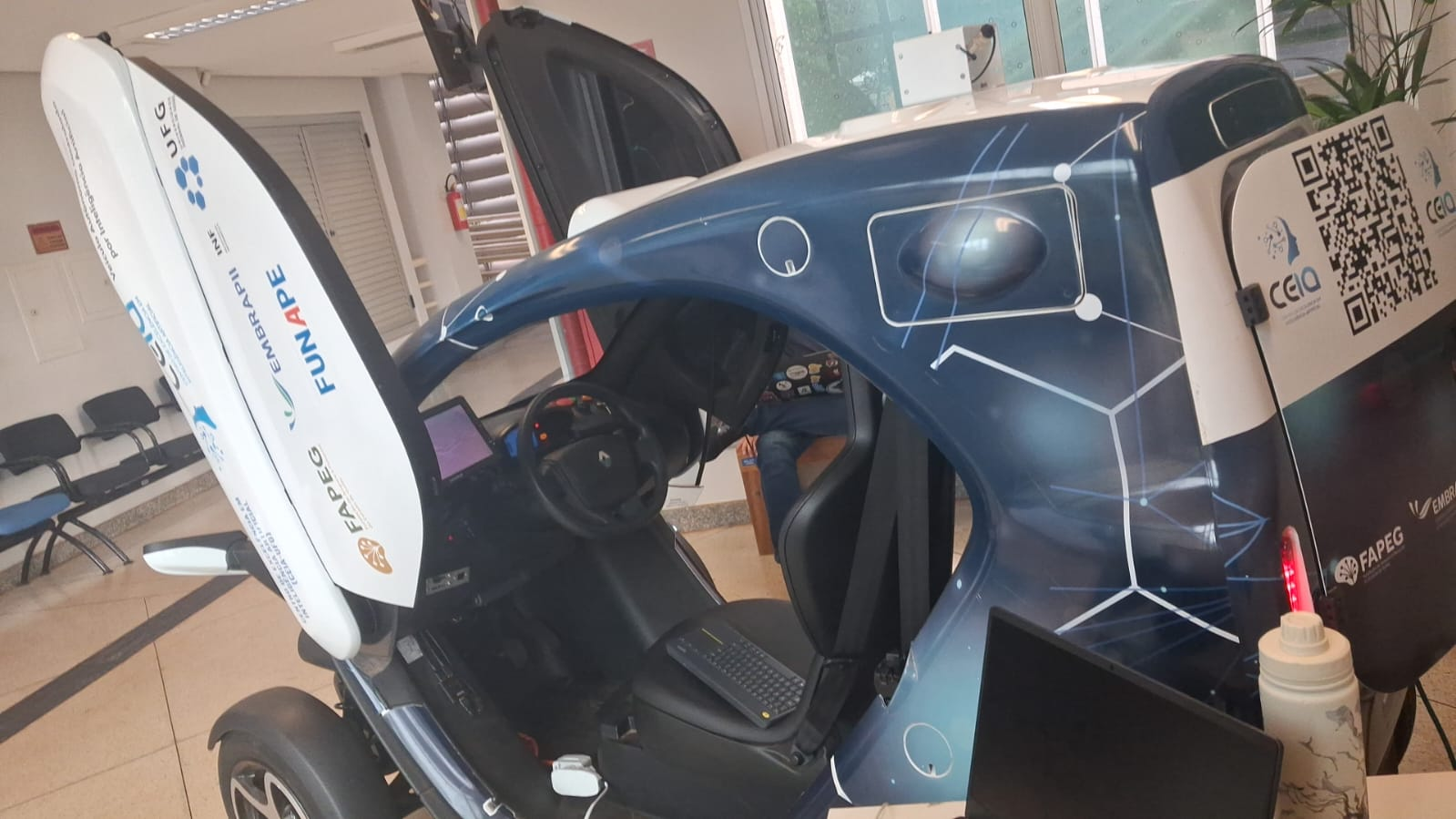
| Field | Value |
|---|---|
| Model | Renault Twizy 80 |
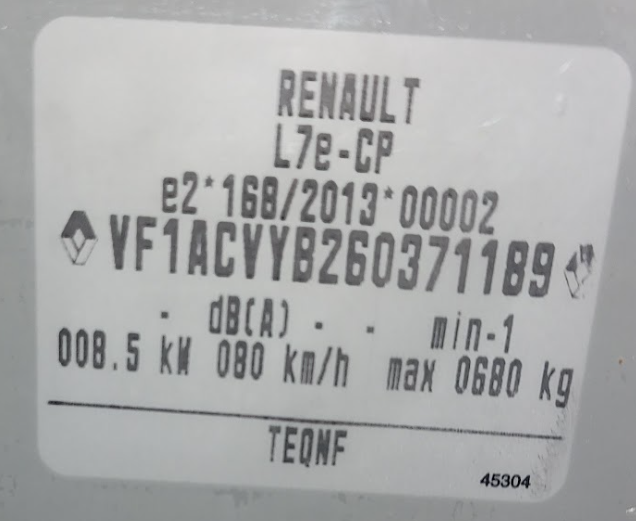
| EU Regulation | L7e-CP e2*168/2013 |
| VIN | VF1ACVYB26037118B9 |
| Year | 2016 (inferred from VIN) |
| Rated power | 8.5 kW |
| Max speed | 80 km/h |
| Max load | 680 kg |
Official maintenance manual: Renault Xarray Section 4
Electrical System
Auxiliary battery (12V)
The 12V auxiliary battery powers all onboard electronics: PC, sensors, router, etc.
| Spec | Value |
|---|---|
| Voltage | 12 V |
| Capacity | 12 Ah or 14 Ah (original depending on version) |
| Type | Lead/Sealed AGM (not free electrolyte) |
| Current unit | Varley Red Top 15 (7065-0005), 12V 15Ah VRLA(AGM) |
| Original | EXIDE 24410 3090R, 12V VRLA(AGM) 14Ah 80A |
Battery replacement recommended
Strong indications of the need to replace the auxiliary battery: age (>4 years), high cycling from powering test equipment, and previously reported deep discharge. Before replacement, perform a voltage test. A battery holder/fixation must also be fabricated since the current Varley unit does not fit the original bracket.
Safe removal procedure:
After ignition off → wait 35 min → system may draw from traction battery to
recharge auxiliary (stops if traction battery < 15%). Isolate positive terminal
from chassis before removal.
Traction battery (lithium, main)
- State of health cannot be read directly — requires OBD2 scanner or CAN diagnostic reads from the PC
- Keep the vehicle at 40–60% charge when parked for extended periods to reduce accelerated degradation
- Charge to 100% only when high-mileage or long-duration tests require it
Charging
Grounding — critical
The lab outlet used to charge the vehicle must have a correct earth ground. There have been multiple charger failures due to grounding faults. A 20A rated outlet is required — do not use 10A outlets (the charge current approaches the 10A limit, and poor contact adds risk of overheating and fire). Currently a generic adapter is in use that must be replaced.
Mechanical State
| System | Status / Notes |
|---|---|
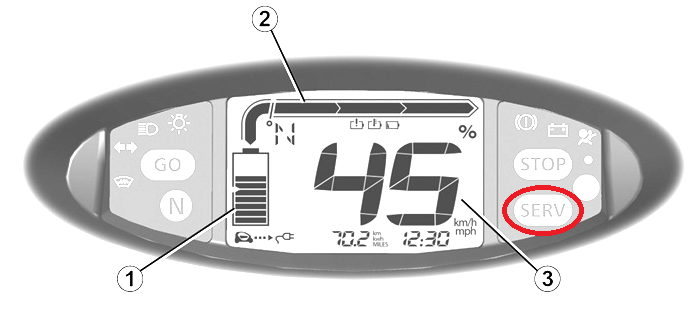
| Service light | ON — electronic/mechanical inspection required |
| Tires | Check for deformation or cracking; calibrate pressure |
| Front/rear tire size | Different sizes — check Twizy spec before purchasing |
| Brake discs | Surface rust present; brake-in cycle recommended |
| Brake fluid | Replace recommended; check for leaks under steering box |
| Transmission fluid | No change needed unless vehicle was idle >2 years |
| Drive belt (StreetDrone) | Check condition of autonomous brake actuator belt |
| Connectors | Inspect for proper seating, no cracks or broken clips |
| Ground points | Test resistance (should be <300 mΩ per ISO 6469-3:2011) |
| Traction battery | OBD2 / CAN diagnostic needed to assess health |
OBD2 / Diagnostics
The OBD2 port is accessible by removing the plastic cover near the handbrake. An automotive scanner is recommended to read fault codes before ordering replacement parts.
It is also possible to read diagnostic data directly from the vehicle PC via the available CAN port, but it requires understanding the diagnostic data structure (parameter IDs / PIDs) and care must be taken not to inject commands that could affect vehicle safety.
Sensors
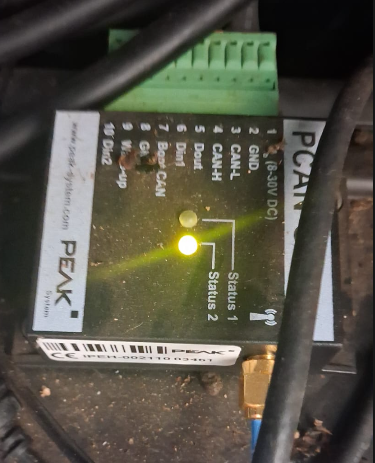
PCAN-GPS FD (PEAK System)
The PCAN-GPS FD module provides IMU and GPS data via the CAN bus, published as ROS2 topics.
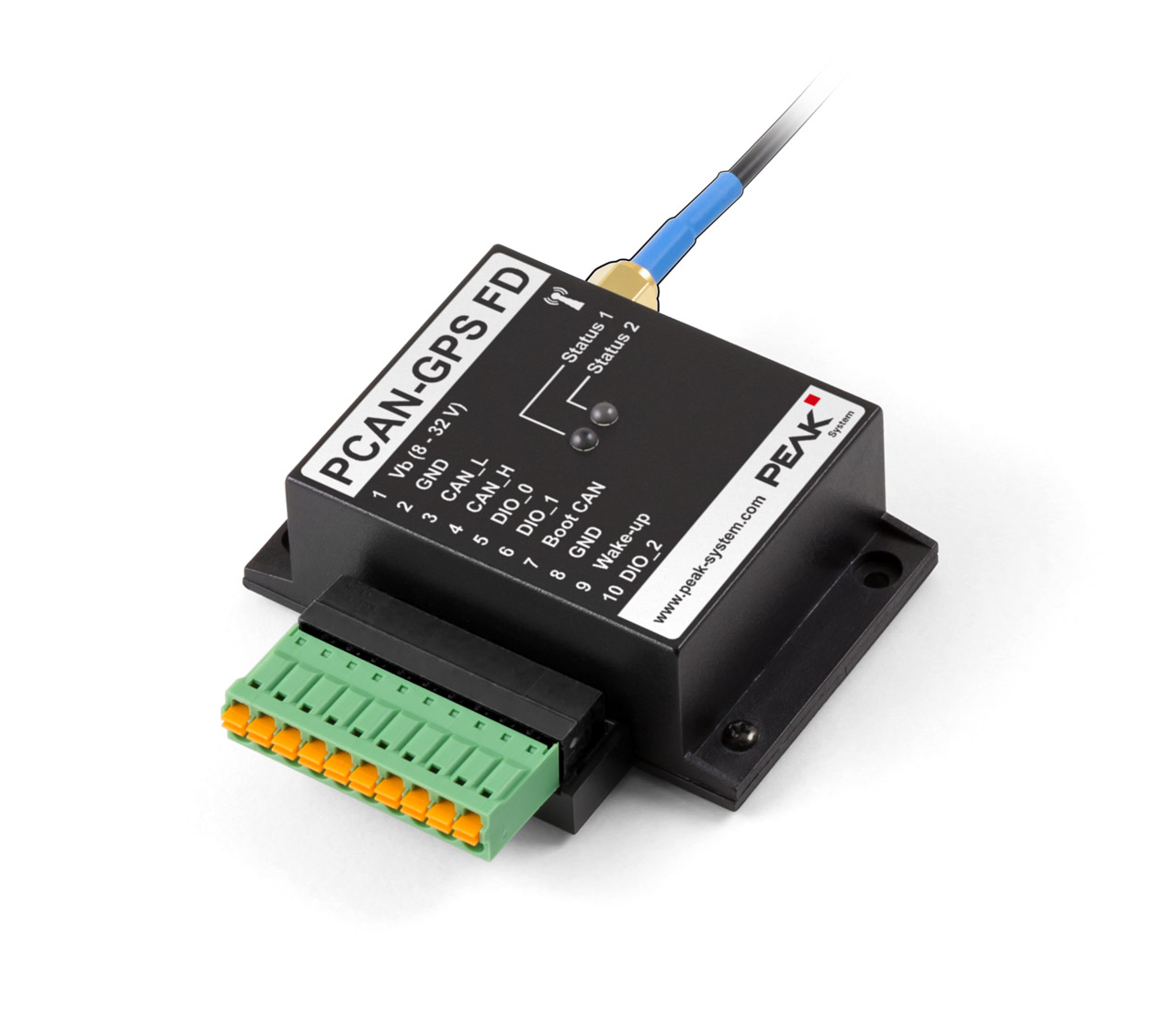
| Spec | Value |
|---|---|
| Microcontroller | NXP LPC4000 series (ARM Cortex-M4) |
| GNSS receiver | u-blox MAX-7W (GPS, GLONASS, QZSS, SBAS) |
| Accelerometer + Magnetometer | Bosch BMC050 (3-axis each) |
| Gyroscope | STMicroelectronics L3GD20 (3-axis) |
| CAN | High-speed CAN (ISO 11898-2), 40 kbit/s to 1 Mbit/s |
| CAN protocol | CAN 2.0 A/B |
| Digital inputs | 2 (high-active) |
| Digital output | 1 (low-side driver) |
| Connector | 10-pin Phoenix terminal block |
| Power | 8–30 V DC |
| Storage | microSD slot (data logging) |
| Operating temperature | -40 to +85 °C |
Test results:
- IMU: Raw data access successful via CAN bus and ROS2 topics
- GPS: Coordinates not obtained during tests — tests were performed indoors without satellite signal
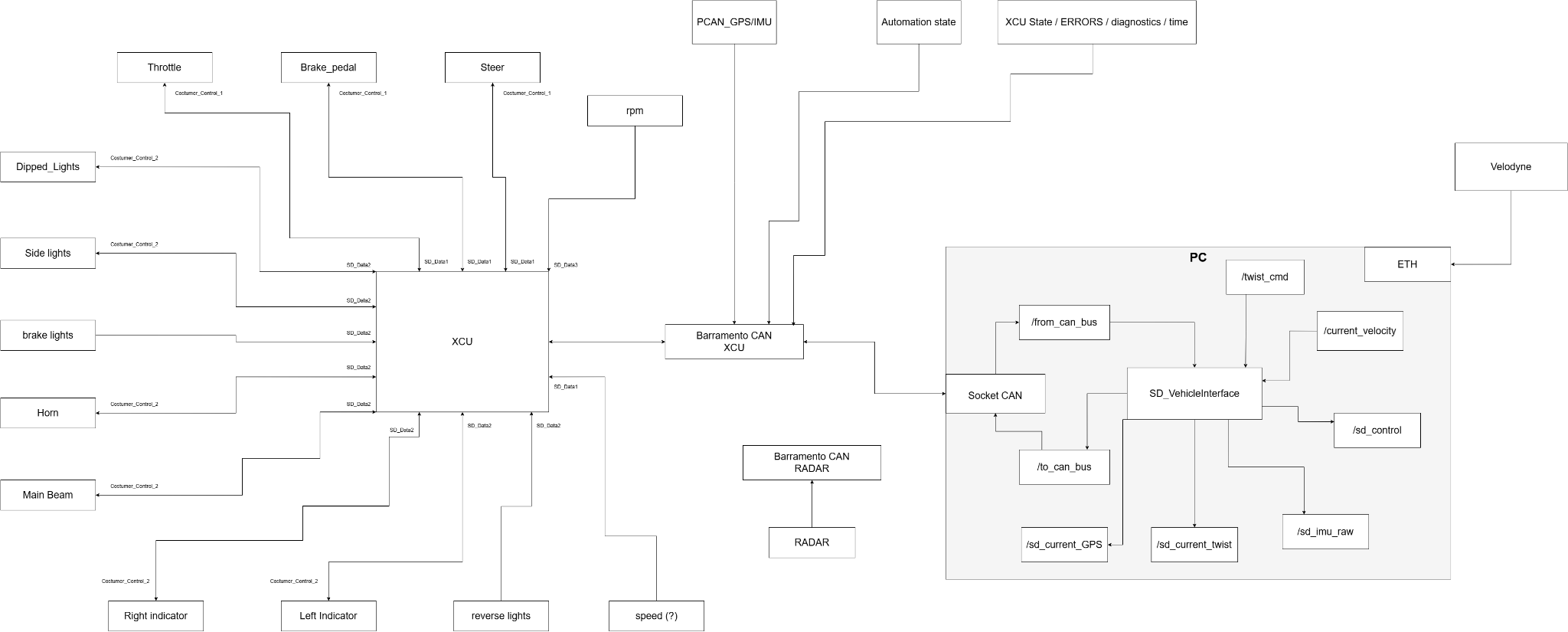
CAN Bus Architecture
Lucid Vision TRI032S-CC
| Spec | Value |
|---|---|
| Model | LUCID Triton TRI032S-CC |
| Serial | 243901923 |
| Sensor | Sony IMX265 CMOS (Global Shutter) |
| Resolution | 3.2 MP (2048 × 1536 px) |
| Frame rate | ~35.4 FPS (base) |
| Interface | GigE Vision (1000BASE-T via M12 connector) |
| Sensor size | 8.9 mm (1/1.8" type) |
| Pixel size | 3.45 µm |
| Lens mount | C-Mount |
| Protection | IP67 (dust and water resistant) |
| Power | PoE (Power over Ethernet) or 12–24 VDC external |
Operational status: - Feed running at ~30 FPS, visible on vehicle's onboard display - Multi-camera initialization bug (camera ID conflict) — fixed - Streaming via NetBird VPN: stable; topics accessible; rqt non-functional over VPN (use Python viewer script instead)
Lens
The TRI032S-CC ships without a lens. A C-mount lens must be installed. A missing lens was identified and corrected during initial setup.
On-board PC
- OS: Ubuntu 22.04 LTS
- ROS2 Humble packages successfully launched
- Topic visualization confirmed in ROS2